



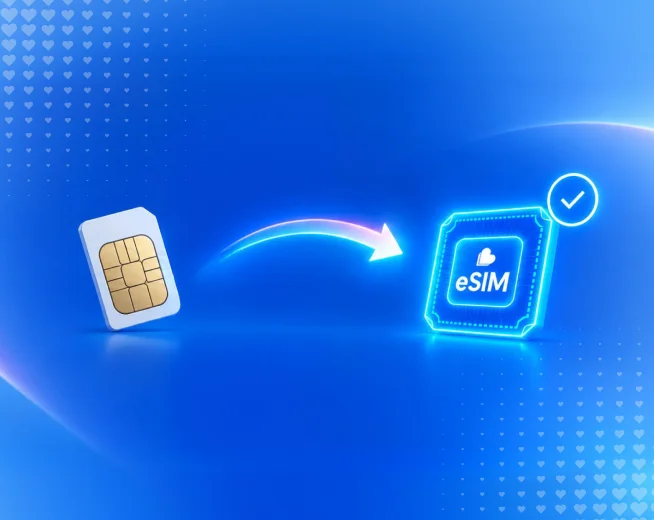
Upgrading to the iPhone 18 Pro, Pro Max or the new foldable iPhone 18 Ultra is the perfect moment to also switch to a better value SIM plan. The good news: you don't have to give up your existing mobile number to do it. Porting your number to Lyca Mobile is straightforward, and if you time it right, you won't lose service at any point.
What "Porting" Actually Means
Porting is simply transferring your existing mobile number from your current provider over to Lyca Mobile. Your number stays the same only the network carrying it changes. In Australia, number portability is a standard, regulated process, so any provider is required to support it.
What You'll Need Before You Start
Have these ready before you begin the port:
● Your current mobile number
● Your Lyca Mobile SIM or eSIM, already purchased and ready to activate
● Your account number and/or PIN from your current provider (sometimes required, depending on the provider)
● Your current provider's ID or account holder details, if requested
Tip: if you're not sure where to find your account number or PIN, check your current provider's app, a recent bill, or call their customer service and ask specifically for your "porting PIN."
Step-by-Step: Porting to Lyca Mobile
- Get your Lyca Mobile SIM or eSIM first. Order online or activate an eSIM instantly by scanning the QR code - this matters because you need an active Lyca service ready to receive the ported number.
- Choose your plan and activate the SIM under a new/temporary number. Lyca will issue you a temporary number while your port request is processed.
- Start the port-in request. Do this through your Lyca Mobile account online, the Lyca Mobile app, or by contacting customer support. You'll be asked for your existing number and account/PIN details from your current provider.
- Keep your old SIM active until the port completes. Don't cancel your existing service before the port is confirmed - cancelling early can cause you to lose the number instead of transferring it.
- Wait for confirmation. Ports in Australia are generally quick, often completing within a few hours on the same business day, though it can occasionally take longer depending on your previous provider.
- Your number switches over automatically. Once complete, your existing number will start working on your Lyca Mobile SIM, and the temporary number is retired.
Timing it Around Your iPhone 18 Upgrade
If your new iPhone 18 is arriving on release day (Friday, 18 September), here's a simple way to avoid any gap in service:
● Order or activate your Lyca Mobile eSIM a day or two before your iPhone 18 arrives
● Start the port-in process as soon as the eSIM is active, rather than waiting until the new phone is in your hands
● Once the port confirms, insert or transfer the eSIM to your new iPhone 18 and you're set — same number, new phone, new (better value) plan
Common Questions
Will I lose service during the port? If you keep your old SIM active until the port confirms, there's typically only a brief handover often just minutes rather than a full outage.
Can I port an eSIM number to another eSIM? Yes. iPhone 18 fully supports eSIM, and Lyca Mobile's eSIM can receive a ported number the same way a physical SIM can.
What if my port fails or is rejected? This usually comes down to mismatched details — like an incorrect account number or PIN, or a number that's already mid-port elsewhere. Double-check your details with your current provider and try again or contact Lyca Mobile support for help.
Does porting cost extra? Porting your number to Lyca Mobile doesn't require you to spend anything beyond your chosen plan there's no separate porting fee.
Getting a new iPhone 18 doesn't mean getting a new number. Set up your Lyca Mobile SIM or eSIM ahead of time, start the port-in request early, and keep your old SIM live until it's confirmed —and your number will follow you straight onto your new phone without missing a call.