


Welcome to the Lyca Mobile family! Whether you have just grabbed a great deal on a new prepaid plan, picked up a free SIM card, or you are simply replacing an old SIM, you are probably eager to get connected. We know that setting up a new mobile service can sometimes feel a bit daunting, but Lyca Mobile has streamlined the process to make it as simple and hassle-free as possible. This guide directly reflects all the helpful information, instructions, and frequently asked questions found on the official Lyca Mobile Australia activation landing page.
Phase 1: The Essential Pre-Activation Checklist
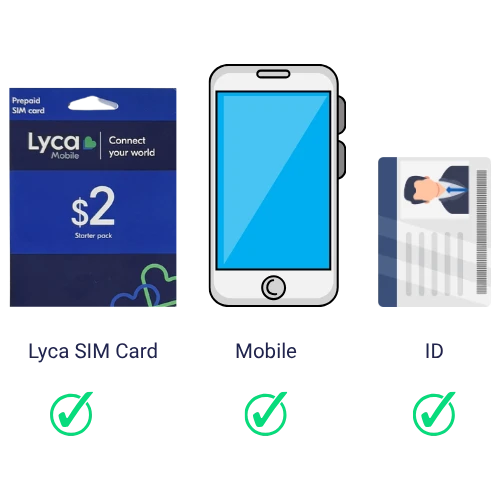
Before you rip open the packaging and pop that new SIM into your device, there are a few critical housekeeping steps you need to take care of. You will need a new Lyca SIM Card, a mobile phone, and ID.
1. Ensure Your Phone is Unlocked
First and foremost, your mobile phone needs to be unlocked. If you bought it on a contract from another provider, it might be locked to their specific network. An unlocked phone is essential because it allows the device to recognize and connect to the Lyca Mobile network.
2. Update Your Software
Ensure your phone’s operating system and software are completely up to date. Running the latest software ensures maximum compatibility with Lyca Mobile’s network configurations.
3. Bringing Your Own (BYO) Number?
If you are porting your existing mobile number, go HERE for instructions.
Important: Do not cancel your current service with your old provider until the Lyca Mobile activation is 100% complete. Your old service will automatically be cancelled once the porting process is finished.
4. Unpack your SIM card
Unpack the SIM card and look for the PUK and ICCID numbers (highlighted in green boxes).
.webp?VersionId=9EDUDlc_IReufRNnCWsJahDiIQesP_yx)
Note: Avoid touching the gold contact points on the SIM to prevent damage from static electricity.
Phase 2: The Registration Procedure
1. Enter the PUK & ICCID Codes
When prompted on the activation page, enter the PUK code and the last 4 digits of the ICCID number, then hit Continue.
.webp?VersionId=PtuI4ZYpfdEPi0aE2qyKv2_c.iqPU6Vj)
2. Your ID Details
Select which ID you prefer to use to confirm your identity. After entering your ID details, continue to the next steps.
.webp?VersionId=Ce.DpcwJd0AVOPMRS6_N26FHOXGtMtTq)
3. Enter Your Name & Address
Fill in your personal details.
.webp?VersionId=WcuS4e9cq.6O4bnRW6LlJxUEfvoeQjYT)
Hit Confirm & submit registration.
Registration Complete!
.webp?VersionId=Y5naNaStN0CYyUyACAH7IkV1131pQf2C)
Click Bring your old number if you are transferring your number to us or just Go to my Dashboard instead.
4. Check your Email for a Confirmation
You will receive a "Welcome to the Lyca Mobile Family" email. This email contains:
- Short codes for Balance and Number checks.
- Bundle information.
- Links to download the App from Google PlayStore or Apple’s AppStore.
.webp?VersionId=d06Ul7GZQ4xtrdstppGJ06LQQpLpcGHu)
Phase 3: Login to My LycaMobile
To access your account, enter your mobile number.
.webp?VersionId=uuLtQOUlMNLpCiw8ktNAJrr0YkynqRRi)
An SMS 4-digit code will be generated; use this to gain access to your Dashboard.
.webp?VersionId=rAdW.wPhV4cnGQsg3mB8JcdGycUk2cP5)
Phase 4: Inside the Dashboard
Once you are logged in, you can fully manage your service. From the dashboard, you can:
- Check your balance and usage summary.
- Recharge or upgrade your plan.
- Manage payment methods and view history.
- Access help, support, or refer a friend.
.webp?VersionId=Vi2RaF5PXJ1JqP5OgfPNDAs3qcIx_pzl)
Conclusion
By following these simple steps, you have successfully navigated the activation process and are now ready to enjoy the reliable connectivity and great value Lyca Mobile offers. Whether you are managing your data on the go via the dashboard or staying in touch with loved ones, you are now part of a global network designed to keep you connected. Welcome aboard!